A customer checks Google and sees that you close at 6 PM.
Then they check Facebook and it says 7 PM.
Your Instagram bio points to an old ordering page. Your website still mentions a promotion that ended three weeks ago. A directory listing has your old phone number. The QR code on a flyer sends them to a page you replaced months ago.
None of those things feels disastrous on its own. But together, they create friction.
They make customers stop and wonder which information is actually right. And when people have to work too hard to figure out how to contact you, visit you, book with you, or buy from you, some of them simply won’t.
Your Business Lives in More Than One Place
Someone might discover you on Instagram, check your hours on Google, visit your website, look at Facebook, and then click an ordering or booking link before they ever contact you.
Someone else might find you through a local directory, an old shared post, or a printed flyer sitting at another business.
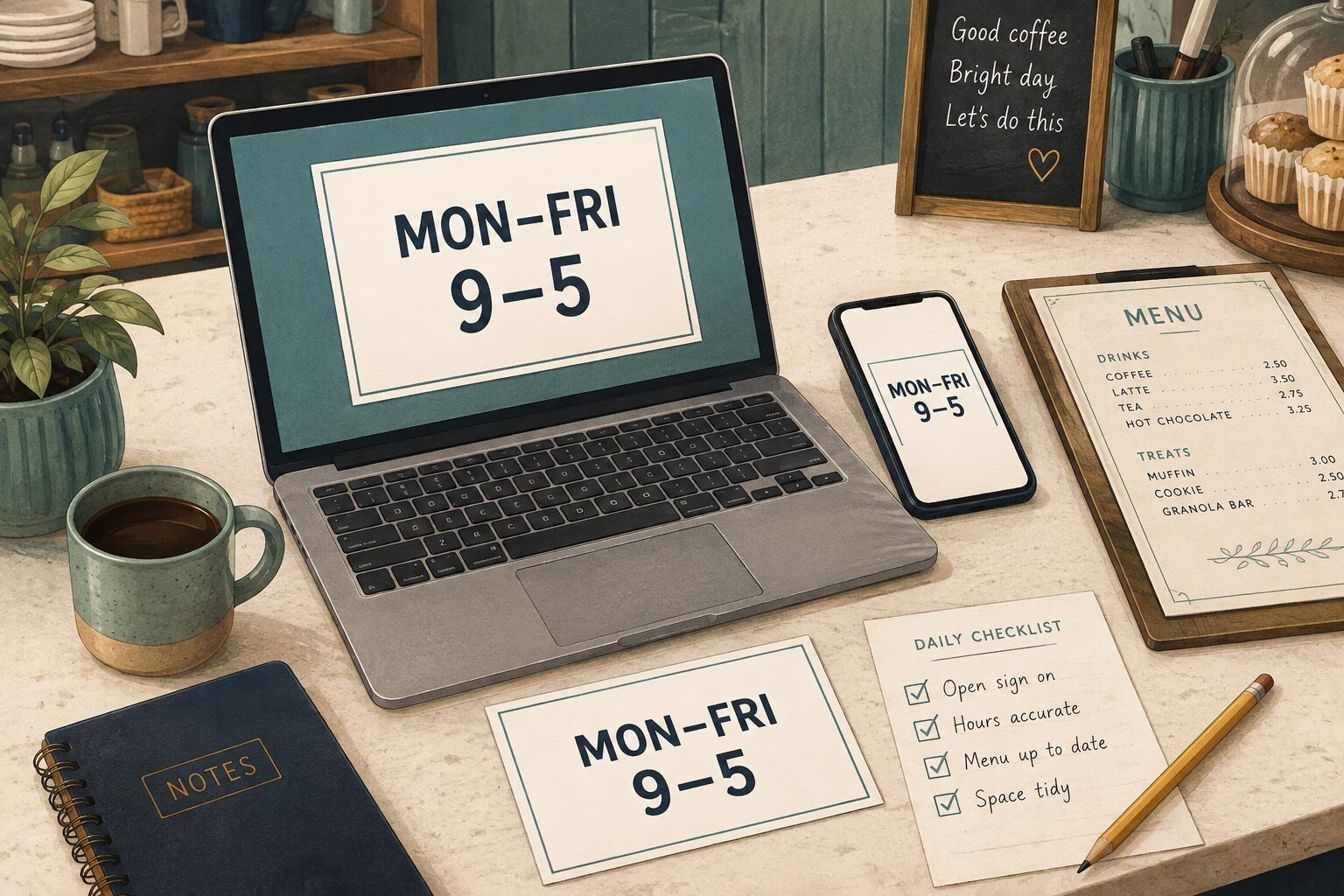
Every one of those places becomes part of the customer experience. They don’t necessarily need to look identical. They do need to agree on the important stuff.
Take a few minutes and compare your:
- Business name
- Hours, including holiday or seasonal hours
- Address
- Phone number and email address
- Website
- Ordering and booking links
- Menus and pricing
- Services
- Current promotions
- Social media links
If something changed recently, there is a good chance at least one place got missed.
You update your hours on Google but forget Facebook. You launch a new website but Instagram still points to the old page. You switch booking systems, but an old button is still active somewhere. You update a menu, but an older version is still linked from a directory listing.
Nothing was intentionally left wrong. It just never got updated everywhere.
Start With the Places Customers Check Most
You do not need to chase every mention of your business across the entire internet. Start with the places customers are most likely to use when deciding whether to visit, call, book, order, or buy.
Google Business Profile
For many local businesses, Google is one of the first stops.
Check your:
- Regular and holiday hours
- Address and phone number
- Website
- Business category and services
- Menu, ordering, and booking links
- Business description
Hours deserve extra attention. If Google says you’re open and someone drives across town only to find a locked door, they probably won’t care that your Facebook page had the correct information.
They will remember that the information they trusted was wrong.
Facebook pages have a habit of collecting old information.
Review your:
- About section
- Hours, address, and phone number
- Website
- Call-to-action button
- Pinned and featured posts
- Cover photo
- Current promotions
Old pinned posts are especially easy to overlook. If the first thing someone sees is an offer that expired two months ago, they may reasonably assume it is still available.
Instagram profiles are small, which makes every piece of information more important.
Check your:
- Bio
- Contact buttons and location
- Website link
- Link-in-bio page
- Story Highlights
And don’t stop at asking whether the link works. Ask whether it still sends people where you actually want them to go.
If you’re promoting preorders, appointments, tickets, reservations, or a new service, your bio should make that next step easy.
Your Website
Your website is usually the place you control the most. Customers expect it to be current.
Check your:
- Homepage announcements
- Hours and contact information
- Menus, pricing, and services
- Forms
- Booking and ordering links
- Promotions and event information
- Footer
Then check it from your phone. A website can look perfectly fine on a desktop while hiding an important button, broken form, or awkward navigation issue on mobile.
Don’t Forget Directory Listings
Directory listings are one of the easiest places for outdated information to hide. Some of those profiles may have been created months or years ago.
Check the local platforms that matter to your business too — Chamber listings, tourism guides, industry directories, and community directories like What’s Up Summerville.
Check the ones that matter most and make sure the basics still match:
- Business name
- Address
- Phone number
- Website
- Hours
- Category and services
The wording does not have to be identical everywhere. The information does need to be accurate.
A customer should not have to decide which phone number, location, or set of hours is the correct one. Use a clear, consistent address, including your suite or unit number where needed.
Click Your Own Links
This part gets skipped constantly. A link can look completely normal while quietly sending customers somewhere useless.
Don’t just look at your buttons. Click them.
Test your:
- Order button
- Booking link
- Contact form
- Email link
- Social links
- Menu links
- Event links
- Link-in-bio buttons
Then ask what happens after the click. Does the page load? Does it work on mobile? Is the information current? Can the customer actually complete the action?
If the button says Book Now, can they book? If it says Order Online, is ordering actually available? If it says Learn More, does the page still explain the thing you’re promoting?
For contact forms, send yourself a clearly labeled test and make sure it reaches the right inbox. For booking and ordering, follow the path far enough to check availability and the next step without creating an unwanted appointment or purchase.
A link that technically works can still be a bad link.
Check Your QR Codes
QR codes are easy to forget because once they’re printed, they feel permanent. The destination behind them isn’t.
Scan the QR codes on your:
- Business cards and flyers
- Menus and table tents
- Signs and posters
- Rack cards
- Packaging
- Event materials
If a code leads to an old page, expired promotion, outdated menu, or broken link, fix it before printing another batch. Check any copies still in circulation, too.
Whenever possible, point QR codes to a stable page on your own website that you can update. That makes future changes easier without requiring a new printed code.
Don’t Forget Printed Materials
Digital information isn’t the only thing that goes stale. Businesses often update things online while printed materials keep circulating for months.
Take a look around. Check the cards by the register, the menu near the door, the brochure you handed out at an event, and the flyer sitting in another business’s lobby.
Review your:
- Business cards
- Menus
- Flyers and brochures
- Signs and rack cards
- Coupons
- Price lists
- Promotional cards
- Event materials
That piece of paper may still be doing its job. Or it may still be promoting information you forgot existed.
Watch for Old Offers
Expired promotions create the same kind of confusion as incorrect hours.
Maybe your pinned Facebook post still advertises last month’s special. Maybe your website still says “Book by August 31.” Maybe an Instagram Highlight shows an old price. Maybe a graphic promoting an expired offer is still one of the first things customers see.
You don’t need to erase your history. Old posts can still show your work, events, products, and community involvement.
But anything prominently displayed should reflect what customers can actually do today.
Pay special attention to:
- Pinned posts
- Homepage banners
- Profile links
- Featured offers
- Active ads
- Story Highlights
- Cover graphics
If an offer ended, make that clear. If it changed, update it. If something replaced it, point customers toward the new offer.
Seasonal Businesses Need an Extra Check
Hours shift. Menus change. Markets move. Programs end. Seasonal products disappear. Holiday schedules begin.
If your business changes with the season, build a consistency check into those transitions.
When summer hours end, update every major platform at the same time. When holiday hours begin, check Google, Facebook, your website, booking platforms, and ordering systems. When an event series ends, remove or update the information before someone assumes it is still happening.
The more often your information changes, the more valuable a simple update checklist becomes.
Make the Update Everywhere
One of the easiest ways to prevent inconsistent information is to change how you think about updates.
Instead of: I need to update Google.
Think: My business information changed. Where does that information appear?
Then work through the same short list:
- Website
- Directory listings
- Booking or ordering platforms
- Printed materials
Keep that list somewhere your team can find it. Add who handles each update and the date it was checked. That simple habit can prevent most of these problems before they start.
See Your Business Through a Customer’s Eyes
Every few months, search for your own business from the customer side of each platform.
Type your business name into Google. Visit your Facebook page. Open Instagram. Visit your website. Check a directory listing. Click your buttons. Scan your QR codes.
Then ask:
If I knew nothing about this business, would every place I checked give me the same answer?
- Could I tell when you’re open?
- Could I find you?
- Could I contact you?
- Could I understand what you offer?
- Could I easily take the next step?
If any of those answers are unclear, you’ve found something worth fixing. Start with anything that could send someone to a locked door, the wrong location, or a dead end when they try to buy or book.
And sometimes the most useful marketing work isn’t creating another post, another ad, or another promotion.
Sometimes it’s making sure the people already trying to find you aren’t getting conflicting information along the way.
Want to Check Your Own Business?
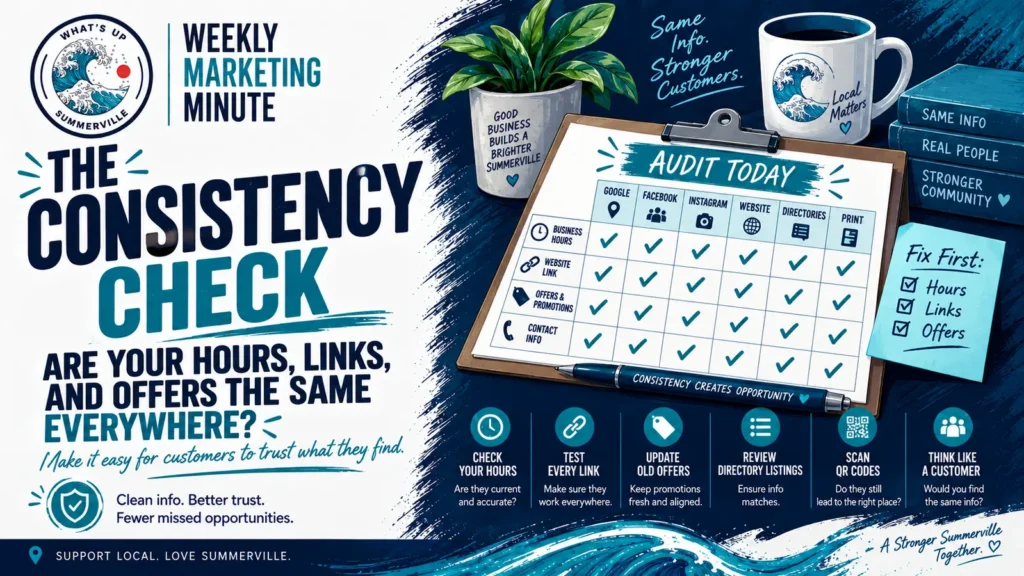
Put this week’s Marketing Minute to work with the free WUS Business Consistency Check — a simple checklist for reviewing your hours, contact information, links, offers, QR codes, and printed materials.
Save it, print it, or hand it to someone on your team so you can work through the audit one place at a time.
Get the Free WUS Business Consistency Check →
Weekly Marketing Minute
Good marketing doesn’t just help people discover your business. It makes it easier for them to trust what they find and take the next step.
Support Local • Love Summerville